
Arival Bank (Mobile)
Dashboard
Led the redesign of the second version of the mobile banking app, rethinking information architecture, contextual navigation, and action hierarchy to focus attention on the most important elements.
 Goal
Goal The bank had been primarily web-oriented, so the goal was to shift focus to the mobile platform and make it a key development priority. The redesign aimed to simplify interactions, logically group information, and build a scalable foundation for future growth on iOS and Android.
 Result
 Before the redesign, active mobile users accounted for only 20–30%. After launch, engagement rose to around 50%, and retention improved as users started using the app for everyday operations. New sections were introduced, and the updated structure became a solid base for further feature development, ensuring consistency across platforms.
 Personal challenge
 As the only designer responsible for both the web and mobile products, balancing user experience, business goals, and platform constraints was a core challenge. The result was a flexible, future-proof solution that met all requirements without compromising usability.
Workflow
- 1 Research and audit
Collected feedback from users, support teams, and stakeholders. Analyzed app analytics, in-app behavior, and crash reports. Conducted a UX audit to assess navigation, screen flow, hierarchy, and accessibility, identifying key pain points such as confusing onboarding and inconsistent interaction patterns.
- 2 Defining goals and constraints
Outlined redesign objectives: improve usability and performance, streamline onboarding, introduce new scenarios, follow iOS and Android guidelines, and maintain visual consistency with the brand.
- 3 Hypothesis and validation
Developed and tested hypotheses around navigation, interaction flows, and feature usage through quick prototyping and usability testing, considering technical and platform limitations.
- 4 Design and prototyping
Rebuilt the navigation model and information structure. Designed interactive prototypes of key screens and widgets for full end-to-end user journeys.
- 5 Validation and iterations
Conducted usability testing on real devices, collected feedback from beta users, and refined UI details such as tap zones, motion, and microinteractions. Updated the design system to maintain consistency across both platforms.
- 6 Handover to development and support
Prepared Figma components optimized for mobile, documented behavior and assets, and worked with developers through design reviews and implementation checks to ensure quality and scalability.
Design solutions
- 1 Navigation and architecture
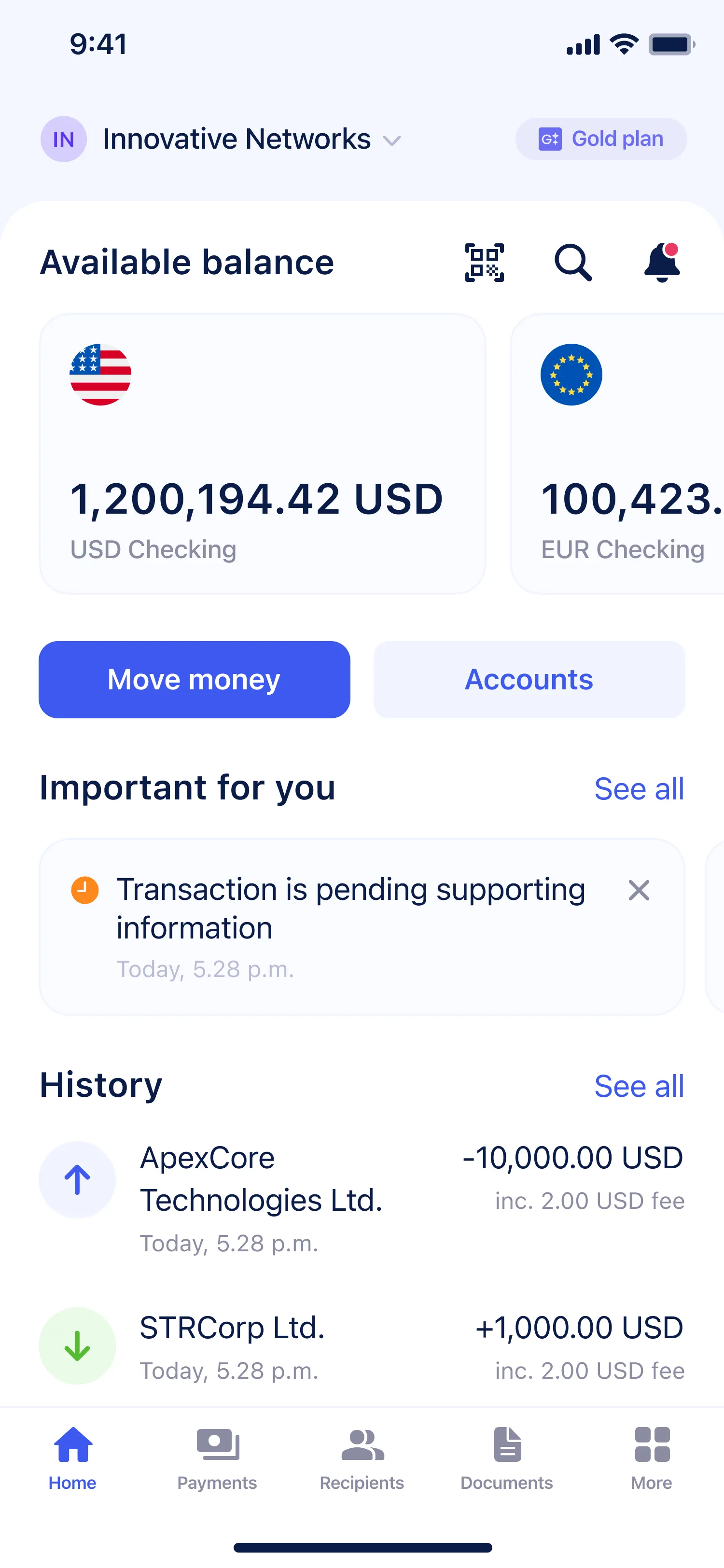
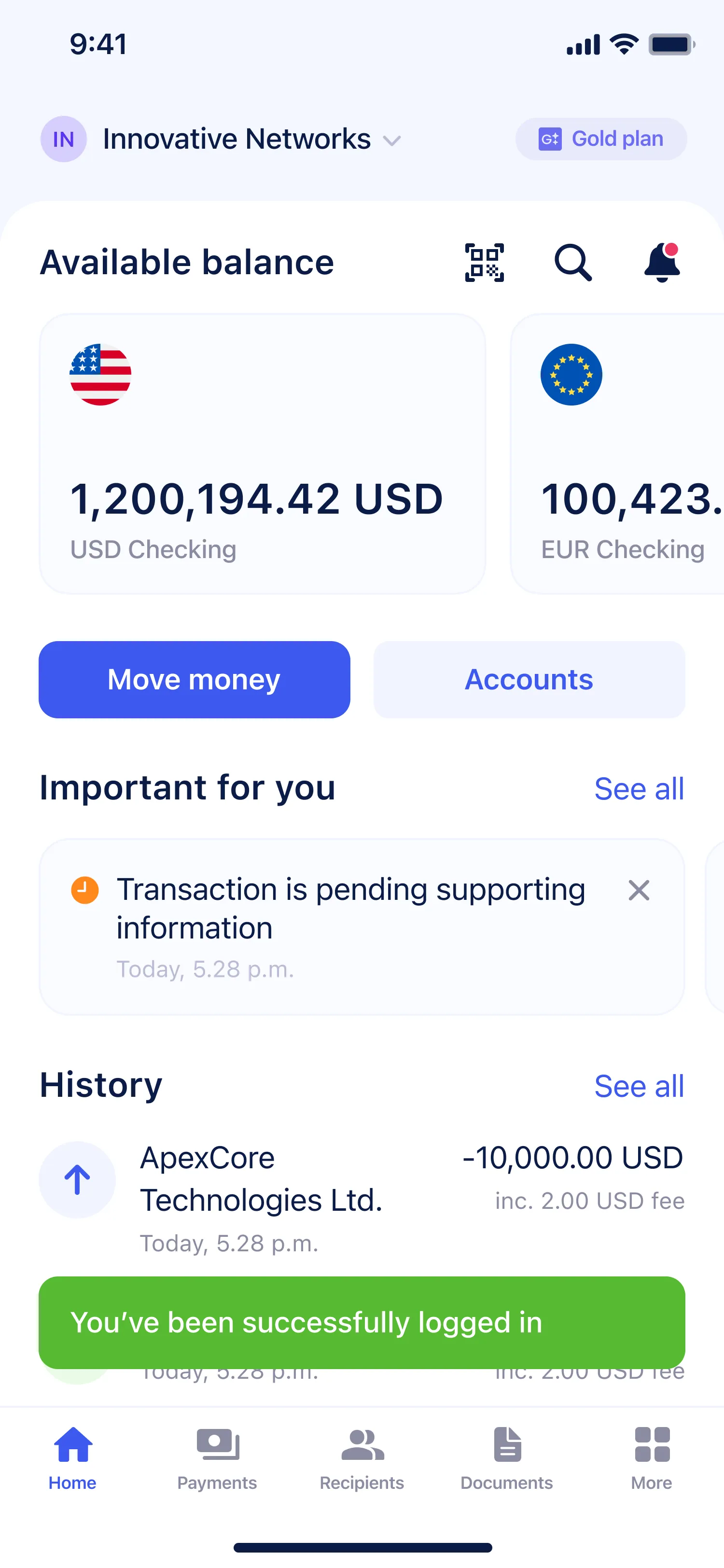
Primary sections were reorganized into a tab bar with clear categories: Home, Payments, Recipients, Documents, and More. Secondary sections were grouped under “More” for better focus. The top bar includes the company name and tariff plan, allowing users to switch between companies without extra logins or reloads.
- 2 Home screen structure
The redesigned home screen gives a quick overview of financial status. The Available balance widget shows grouped balances by currency, with detailed account lists one tap away. Quick actions like Move money and Accounts offer instant access to Send, Receive, Internal transfer, and Exchange.
- 3 Widgets and notifications
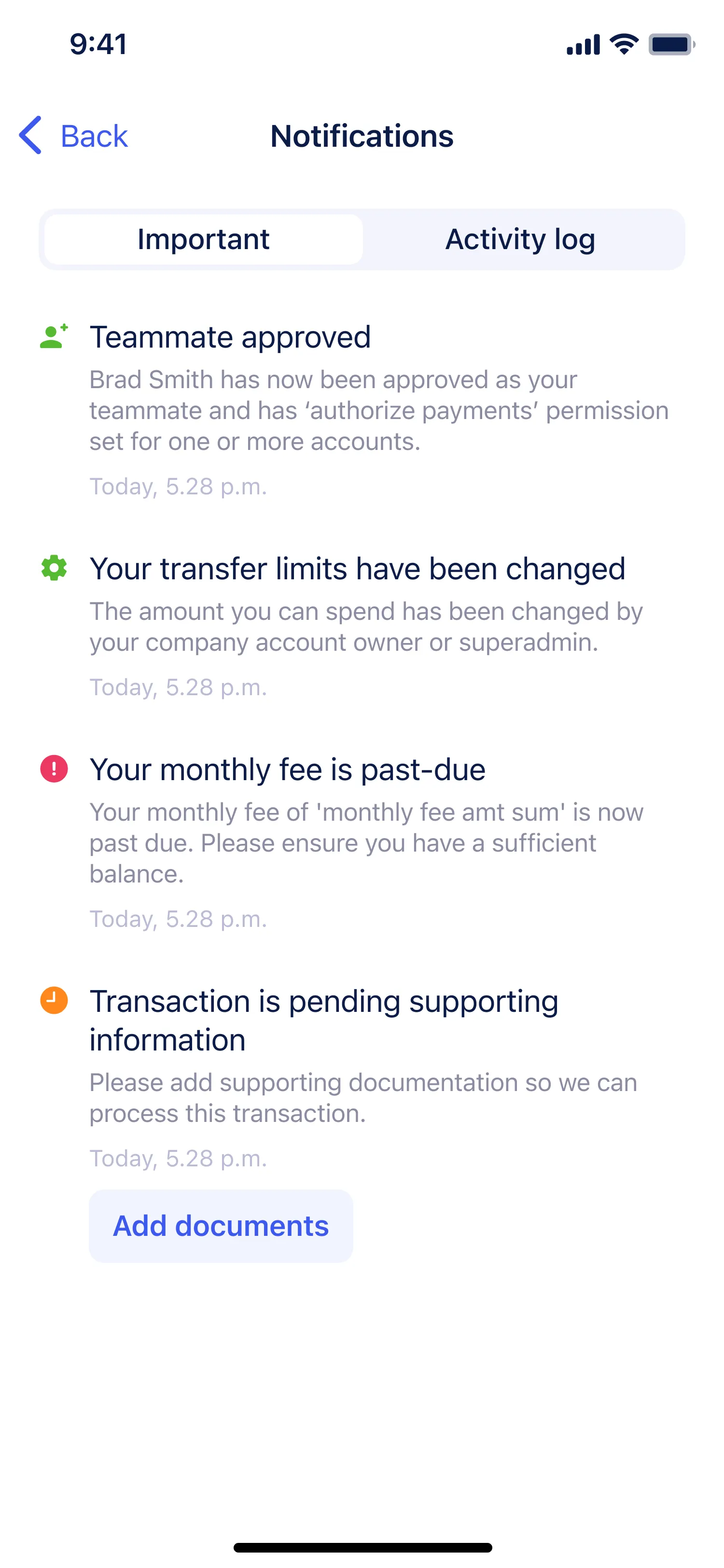
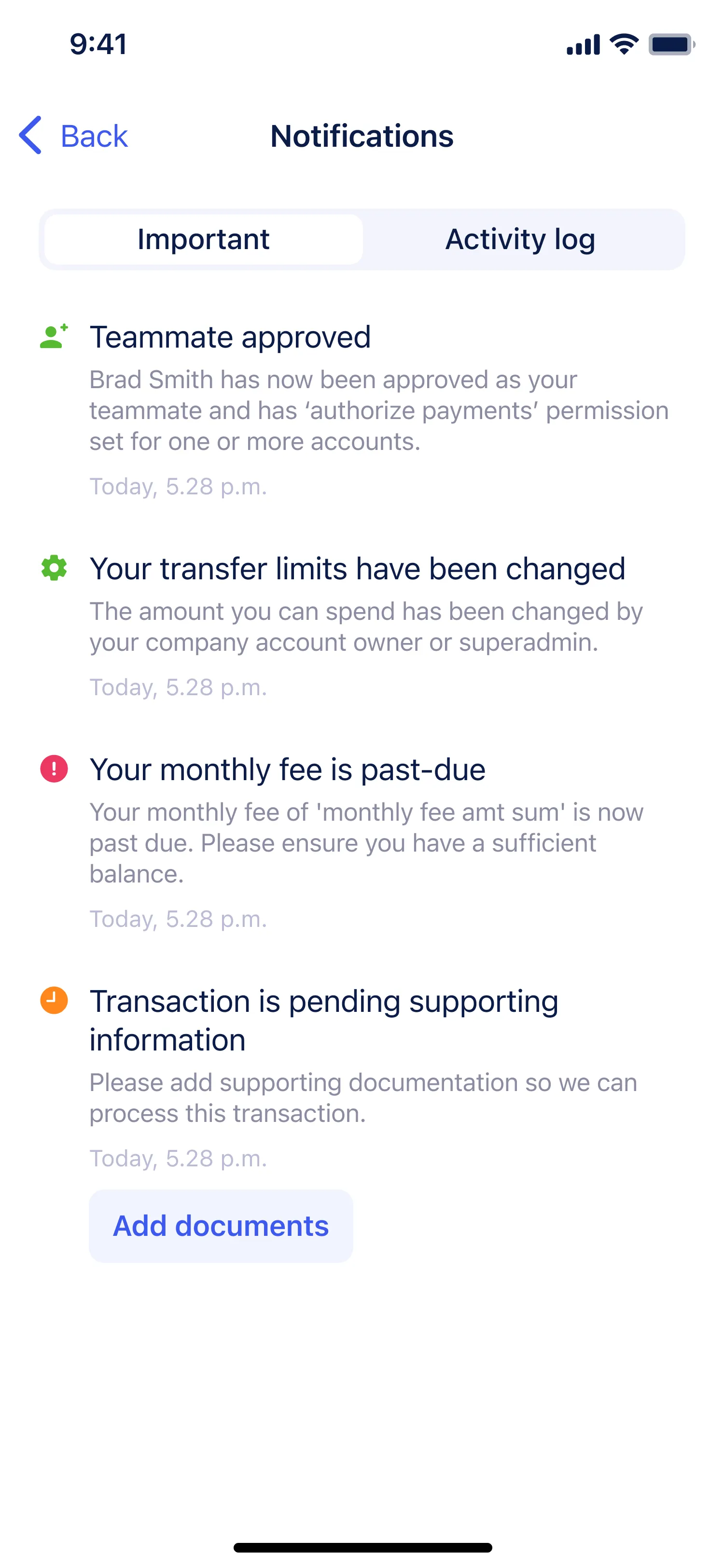
Introduced widgets for quick actions and status visibility. The Important for you block highlights notifications that require attention, while the History block keeps transaction history compact and easy to scan.
- 4 Visual hierarchy and interaction
Improved readability with simplified typography, consistent spacing, and a clear visual rhythm. Followed iOS interaction patterns while keeping the structure adaptable for Android.
- 5 QR-code scanner
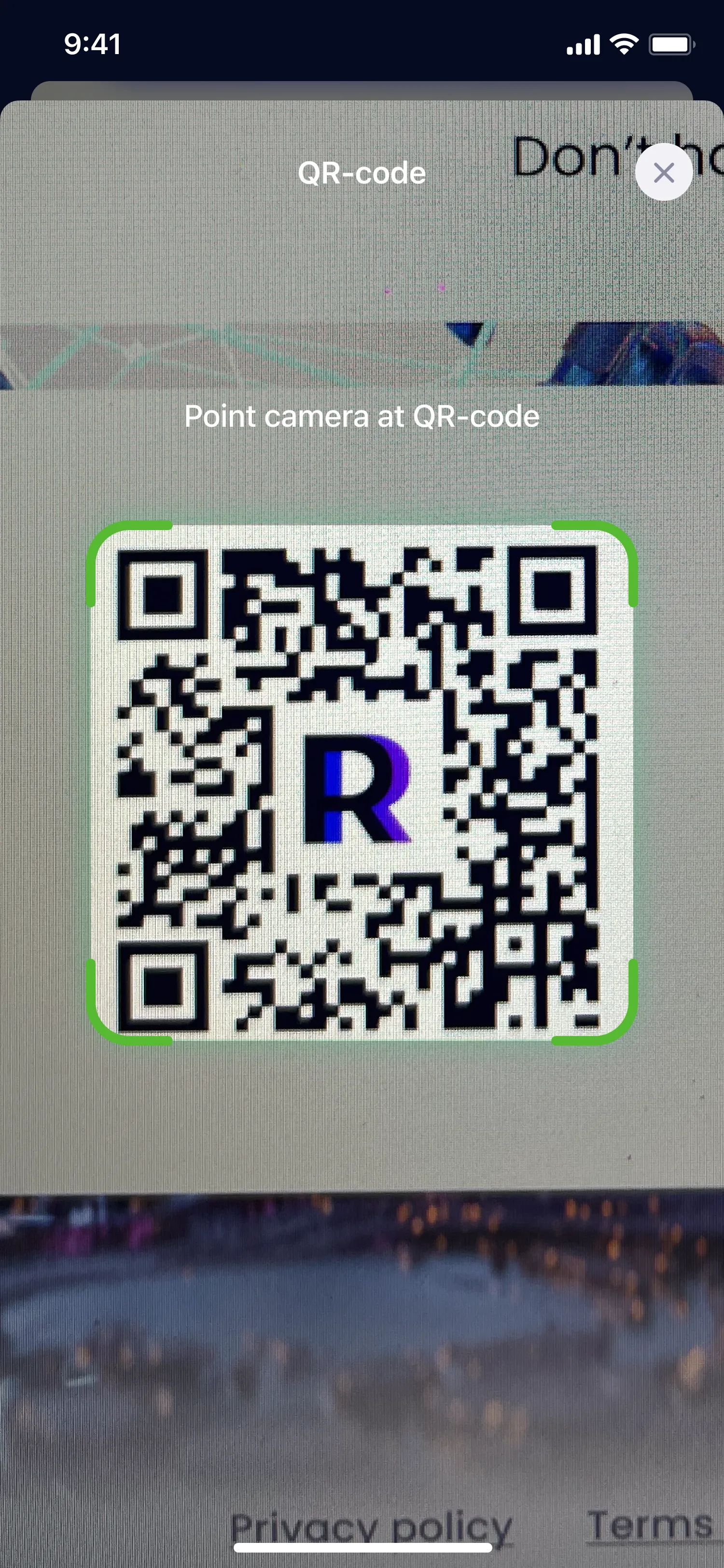
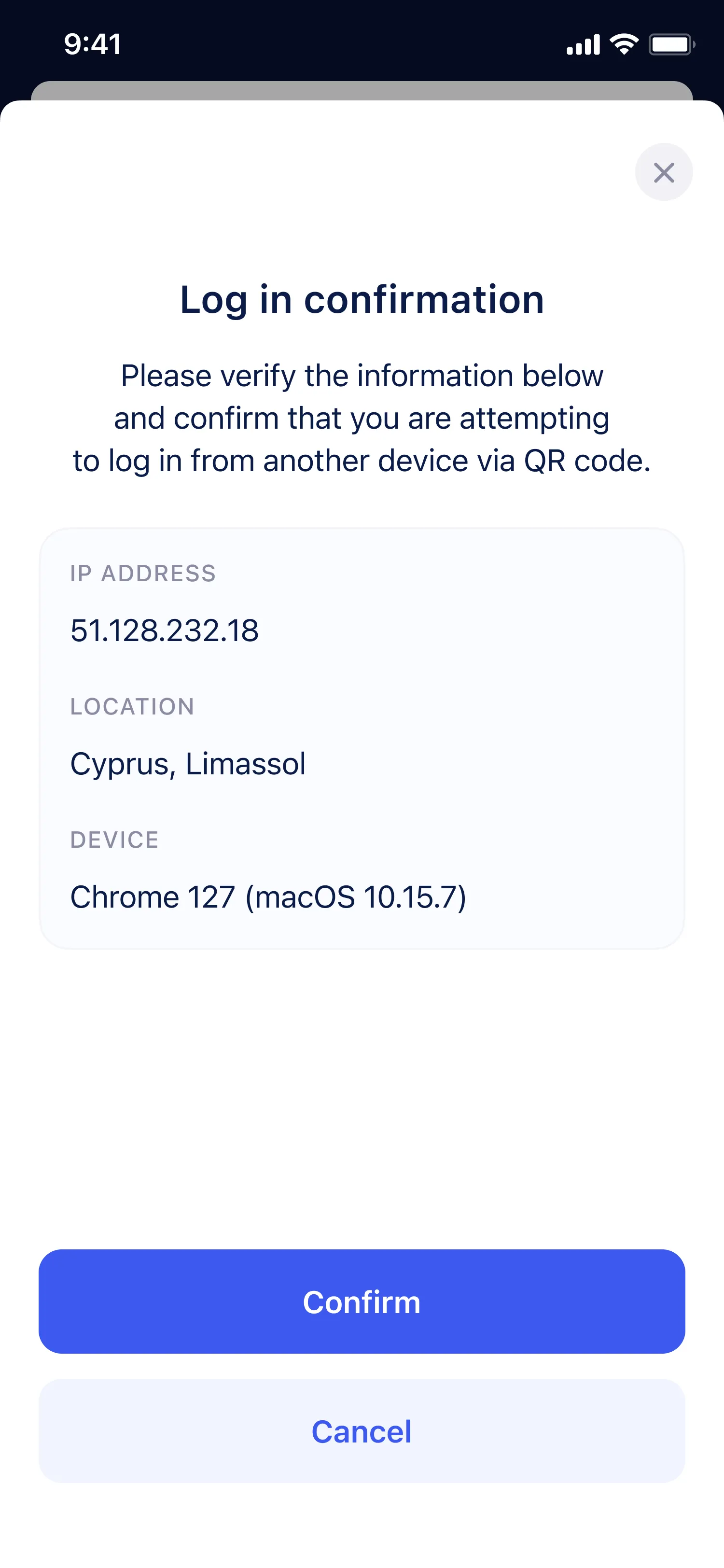
Enabled quick login to the web app via QR code without extra two-factor authentication.
- 6 Global Search
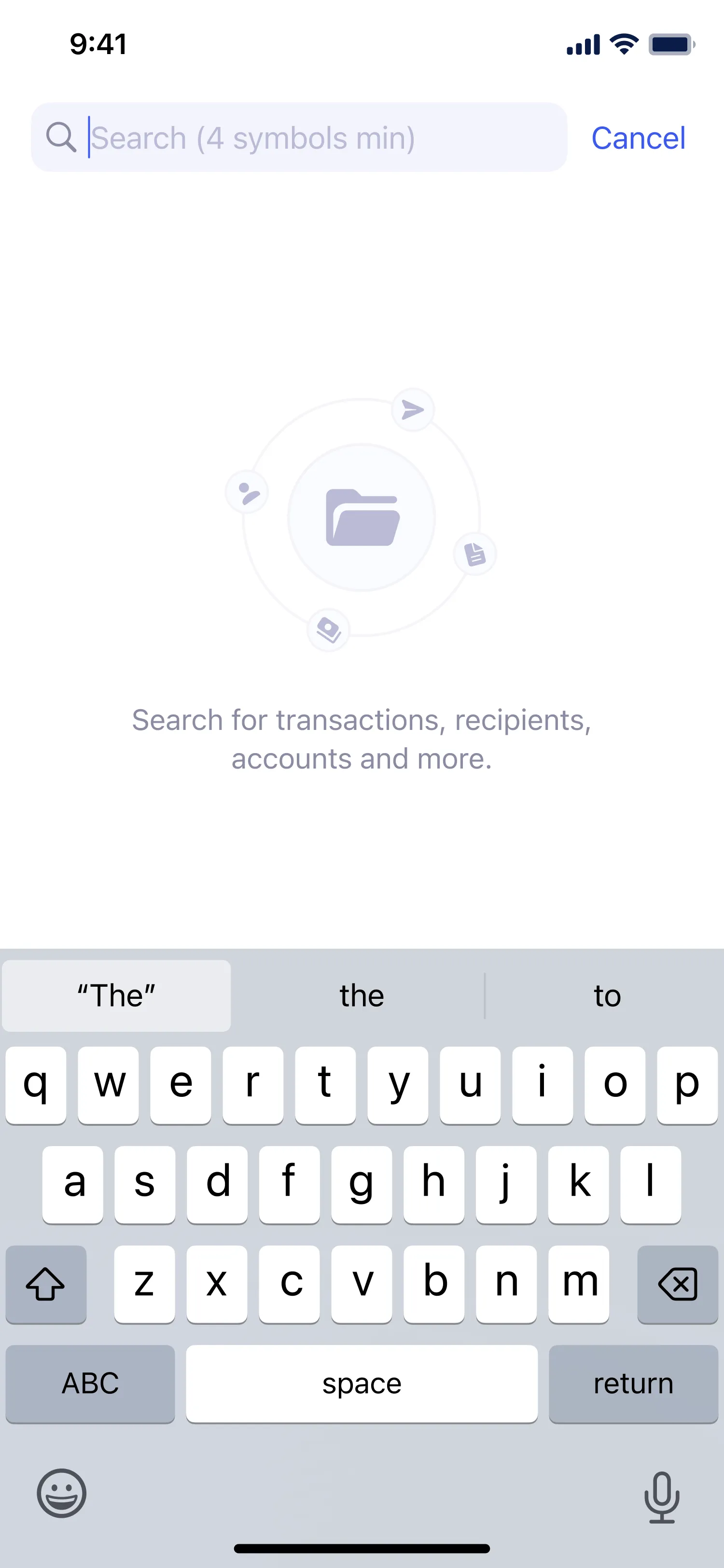
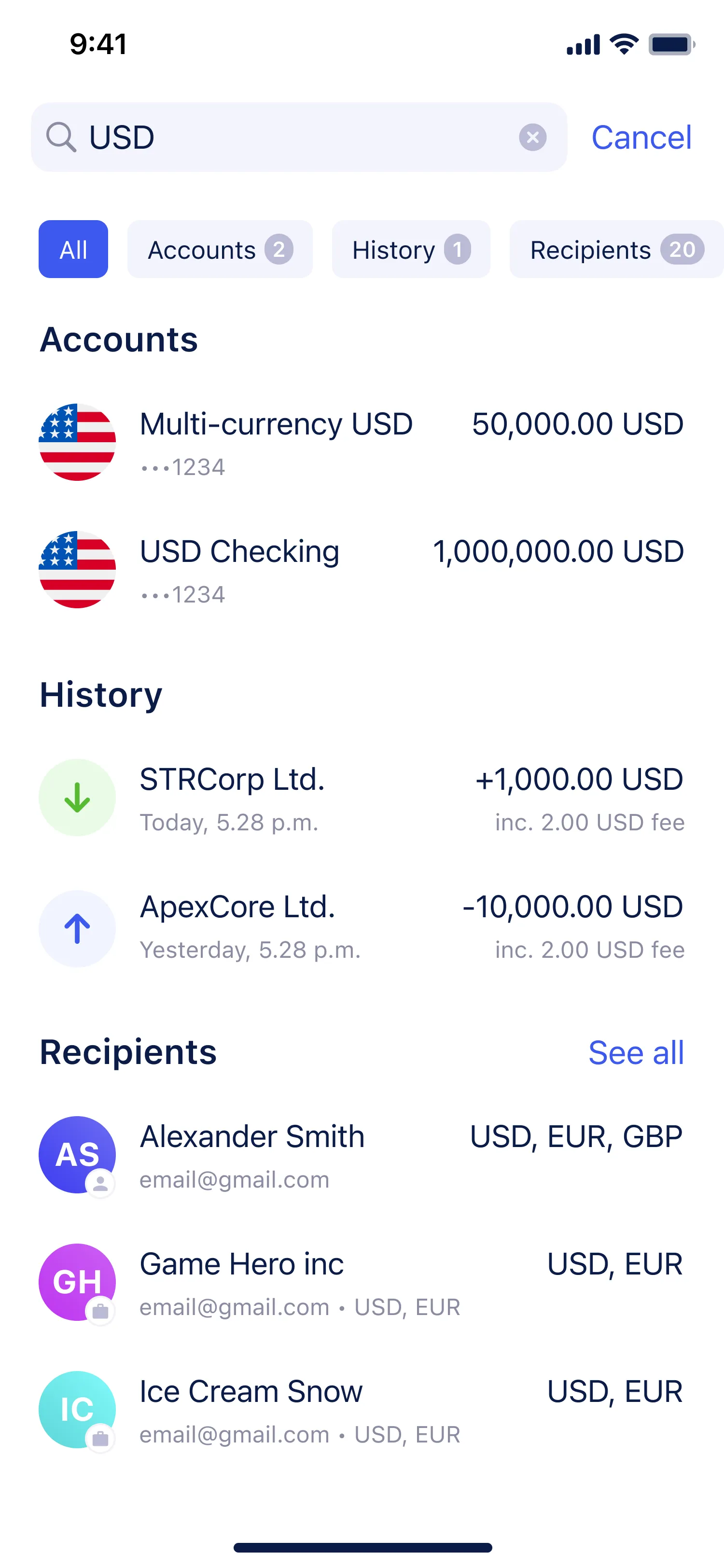
Added a unified search across all sections for faster navigation.
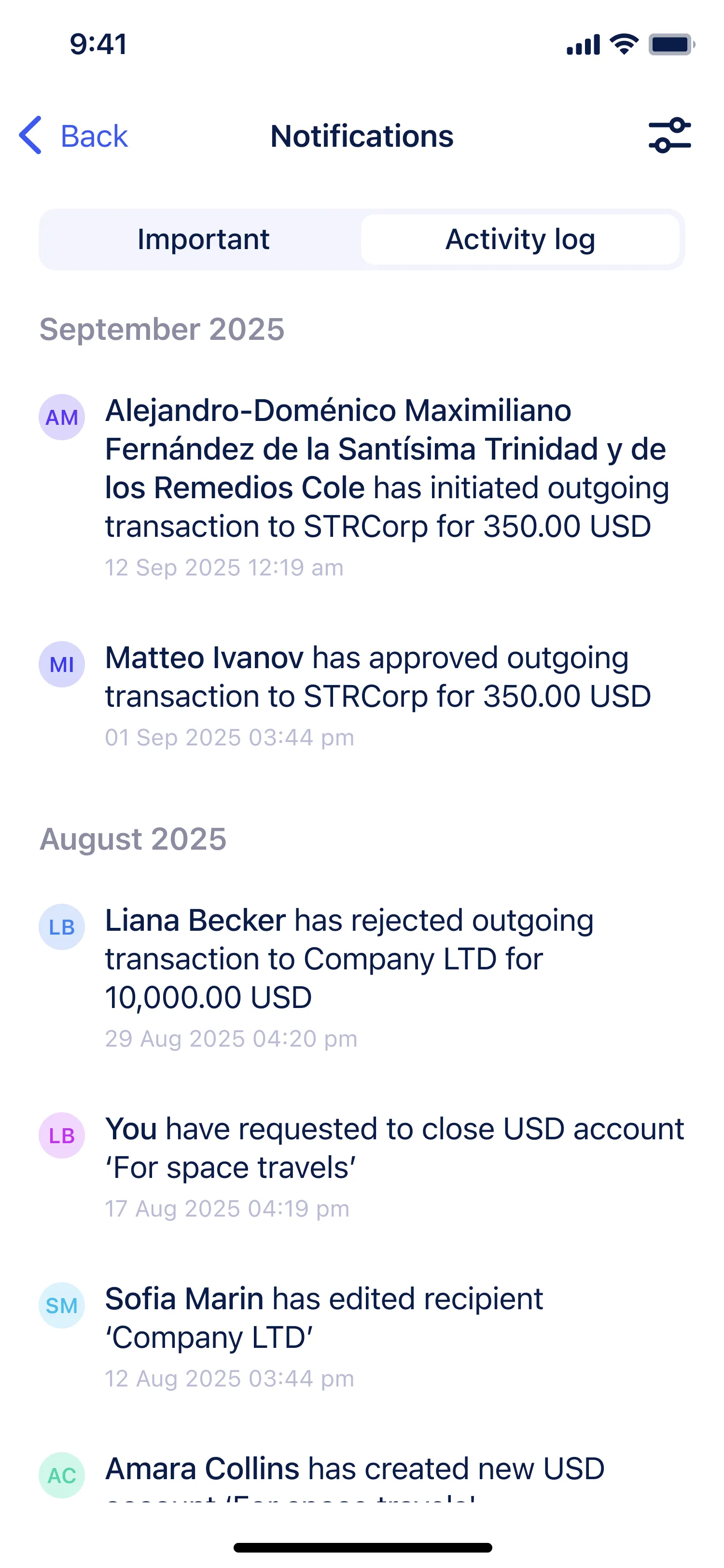
- 7 Notifications and activity log
Implemented a detailed log that allows account owners to track teammate actions such as creating transactions or editing recipients.
Documents module
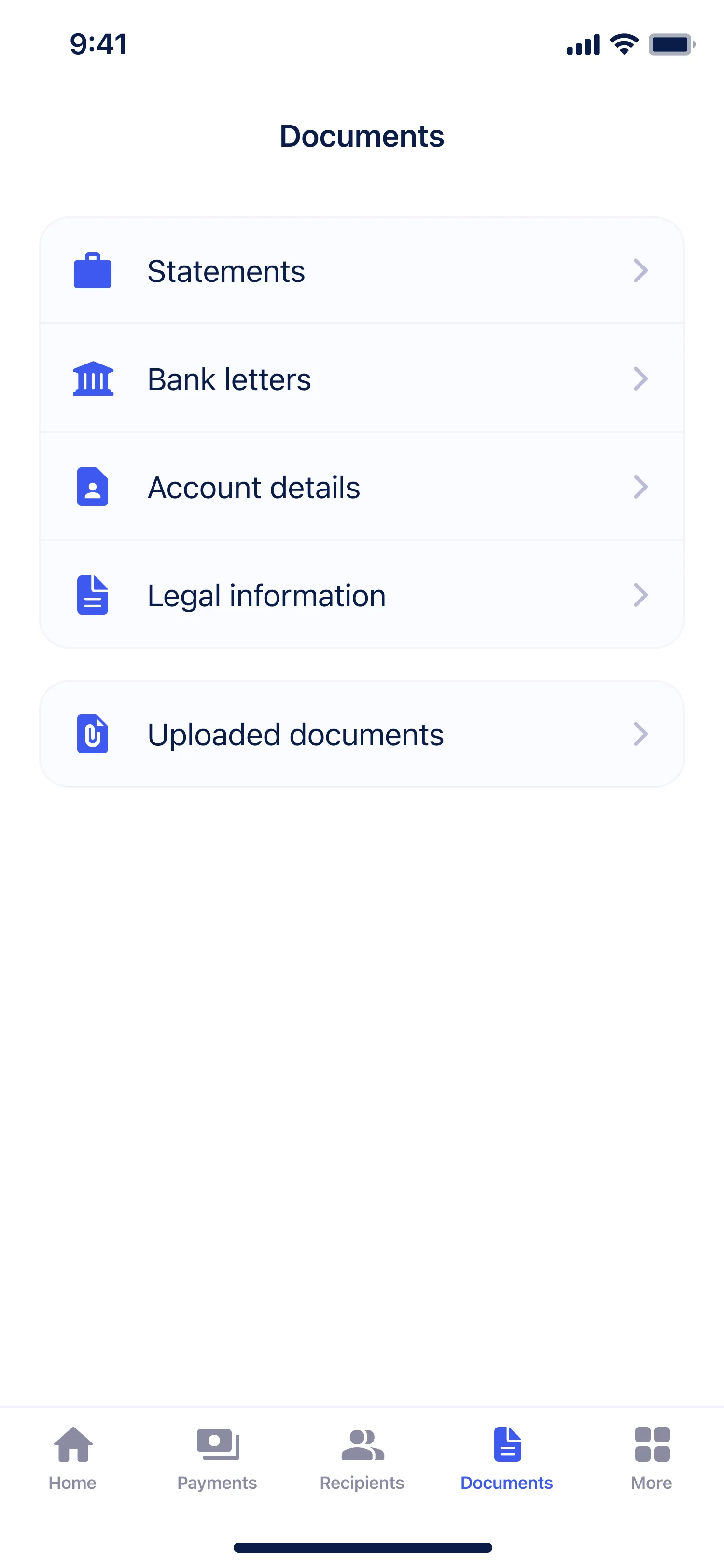
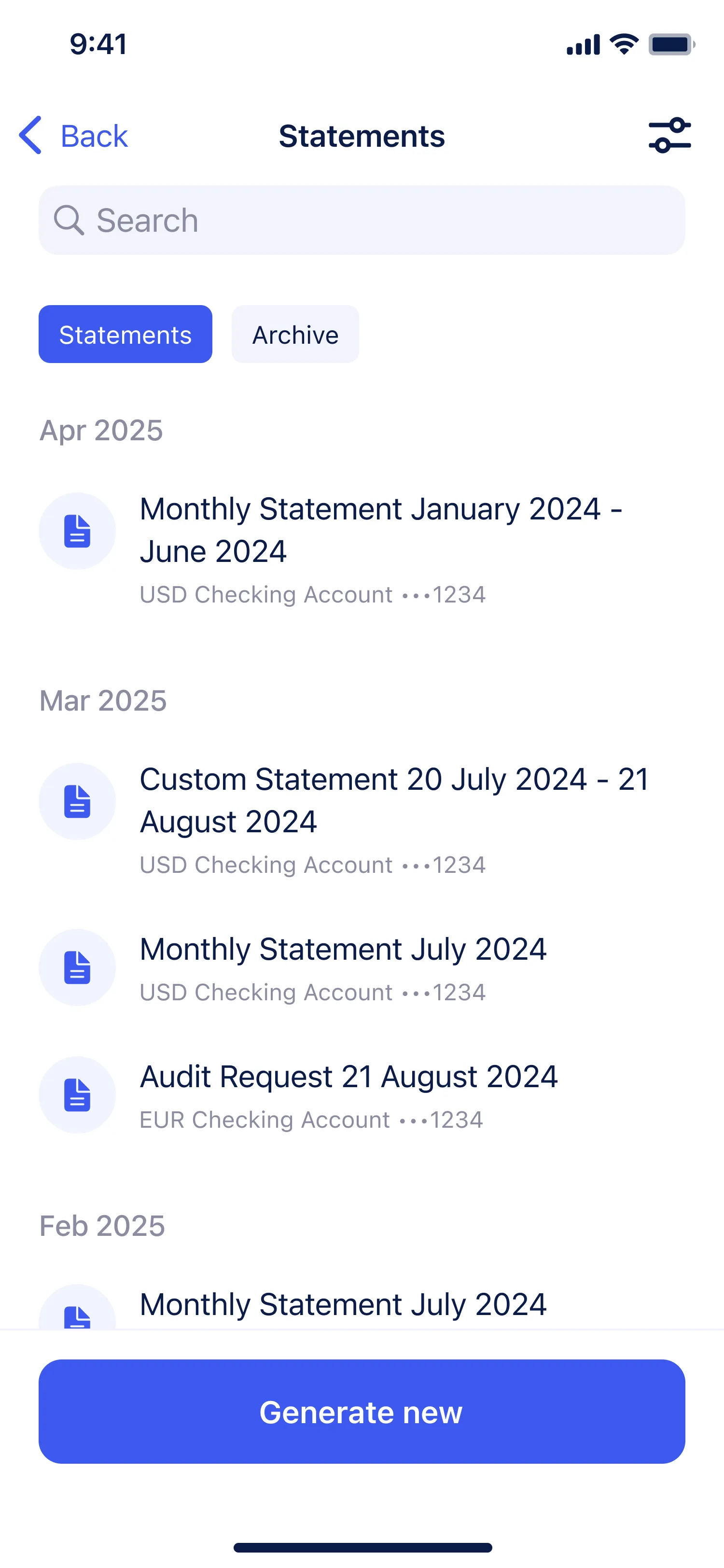
Designed and built the Documents section from the ground up. The new structure allows users to quickly find, upload, and manage files while meeting legal and storage requirements. The module brings together user-uploaded files and bank-generated documents in one place, making document management simple and transparent.
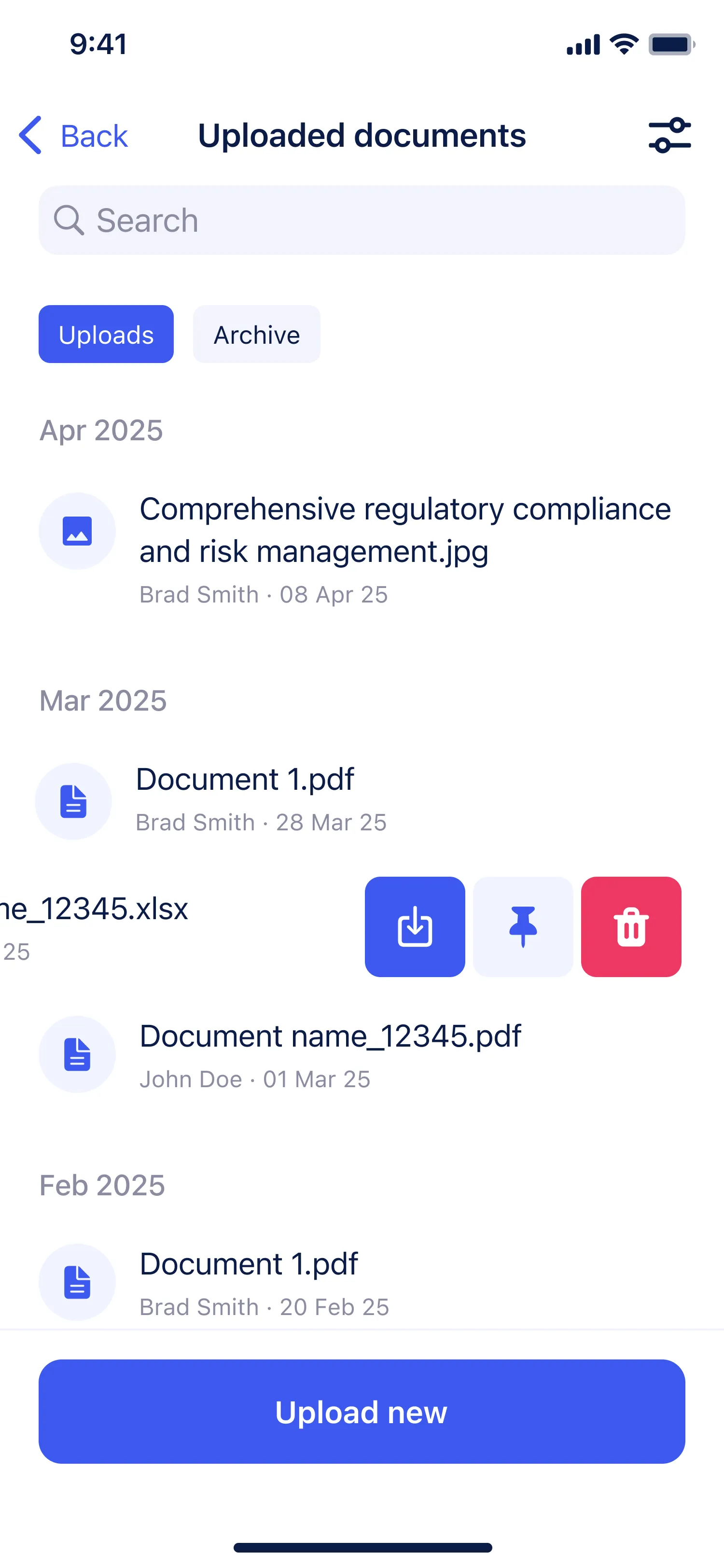
Goal Previously, documents were scattered across different sections: reports, payment details, and uploaded files were stored separately, which made navigation confusing and slowed down work. The goal was to create a single, well-structured hub where users could access all their files, pin important ones, add notes, archive or delete outdated items, and collaborate more effectively.
Result After launch, users gained a convenient and intuitive tool for handling documents. Search and navigation became faster, and team collaboration improved. Within a few months, more than 20% of active users started using the section regularly.
Personal challenge The main challenge was to design a structure that felt immediately clear while still complying with legal restrictions and file storage policies. It was also necessary to balance two distinct flows. User-uploaded documents and bank-generated ones ensuring both worked seamlessly within the same logic. Every type of generated document required its own optimized flow, which demanded careful planning of both architecture and interaction details.
Workflow
- 1 Research and analysis
Studied how users search, upload, view, and share documents on mobile. Analyzed feedback, support requests, behavioral data, and technical limitations related to file storage.
- 2 Defining goals and constraints
Set key tasks: build a unified storage hub, simplify navigation, maintain compliance and security standards, and consider the specifics of both iOS and Android platforms.
- 3 Developing and validating hypotheses
Defined document categories (personal, banking, legal) and navigation logic. Tested early hypotheses using quick prototypes and usability sessions to confirm clarity and discoverability.
- 4 Design and prototyping
Created layouts and interactive prototypes focused on mobile usability: tabs, search, pinned files, and upload flow. Prototyped common scenarios like generating, archiving, or sharing documents.
- 5 Validation and iterations
Tested prototypes on devices to check speed, clarity, and responsiveness. Refined UI details and adapted patterns for iOS Human Interface Guidelines and Material Design to ensure a consistent cross-platform experience.
- 6 Handover to development and support
Delivered detailed Figma specifications, component libraries, and exportable assets. Supported development during implementation and future iterations as new document types and features were added.
Design solutions
- 1 Unified entry point
A separate Documents tab was added to the main navigation, eliminating fragmentation and giving users a clear destination for all files.
- 2 Clear categorization
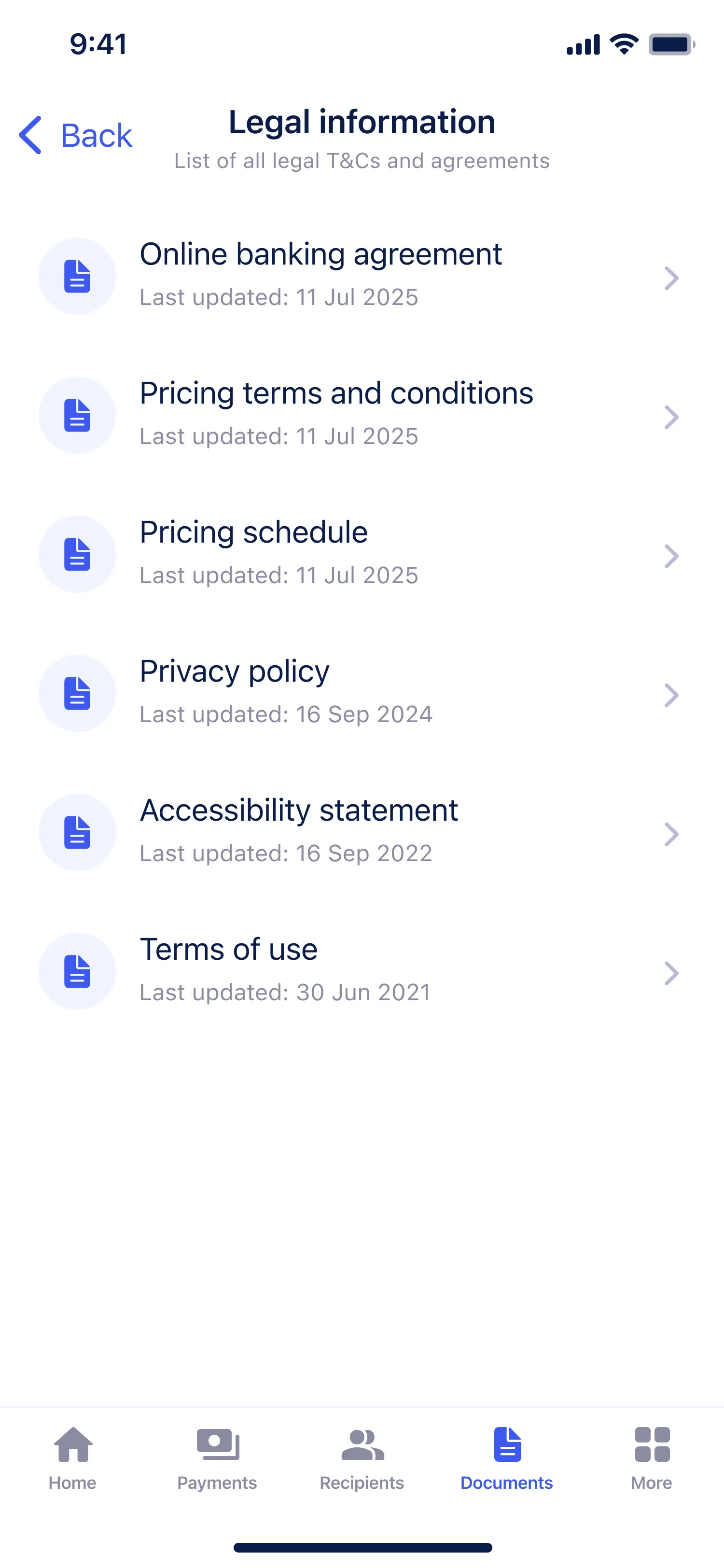
All files were grouped into five categories: Statements, Bank letters, Account details, Legal and Uploaded. This made the structure predictable and easy to navigate.
- 3 Card-based layout
- 4 Document generation flow
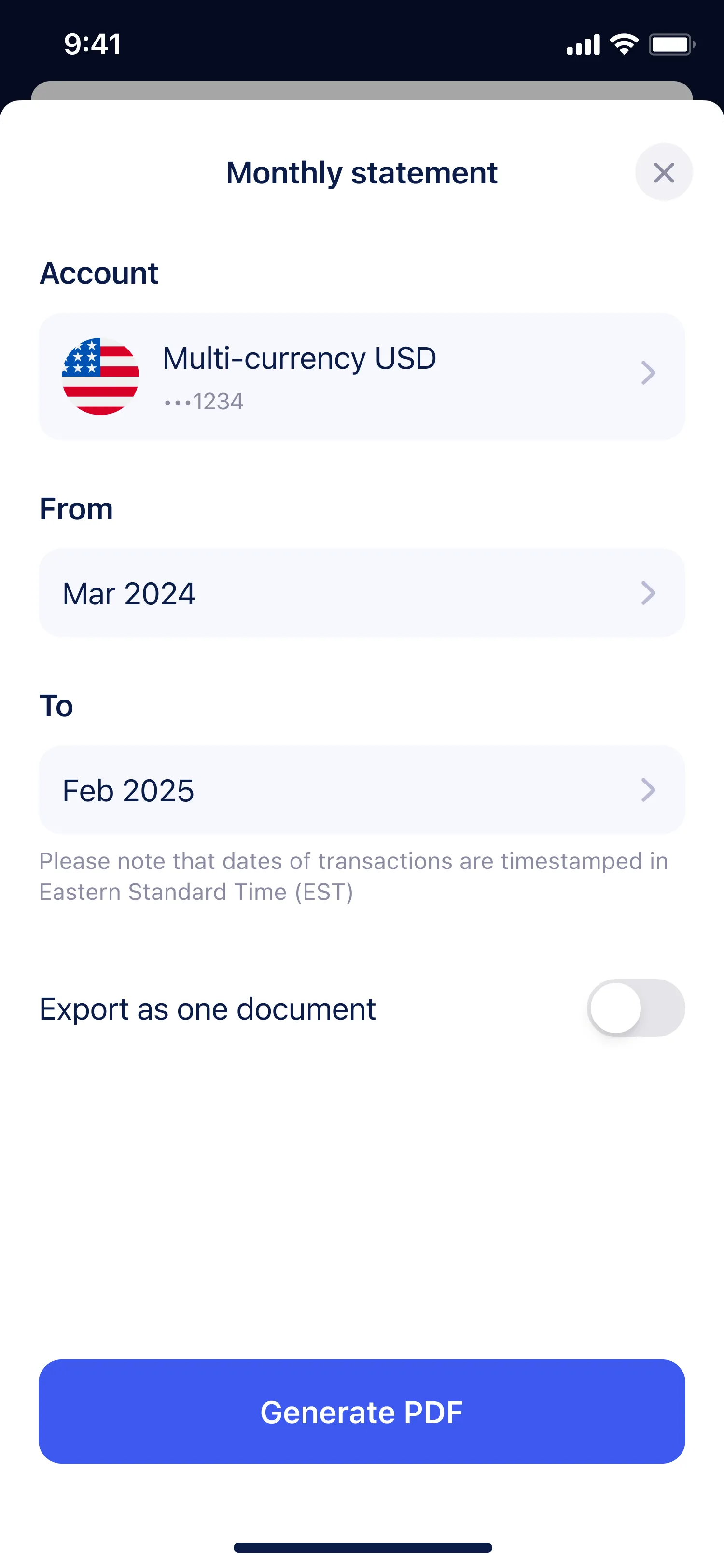
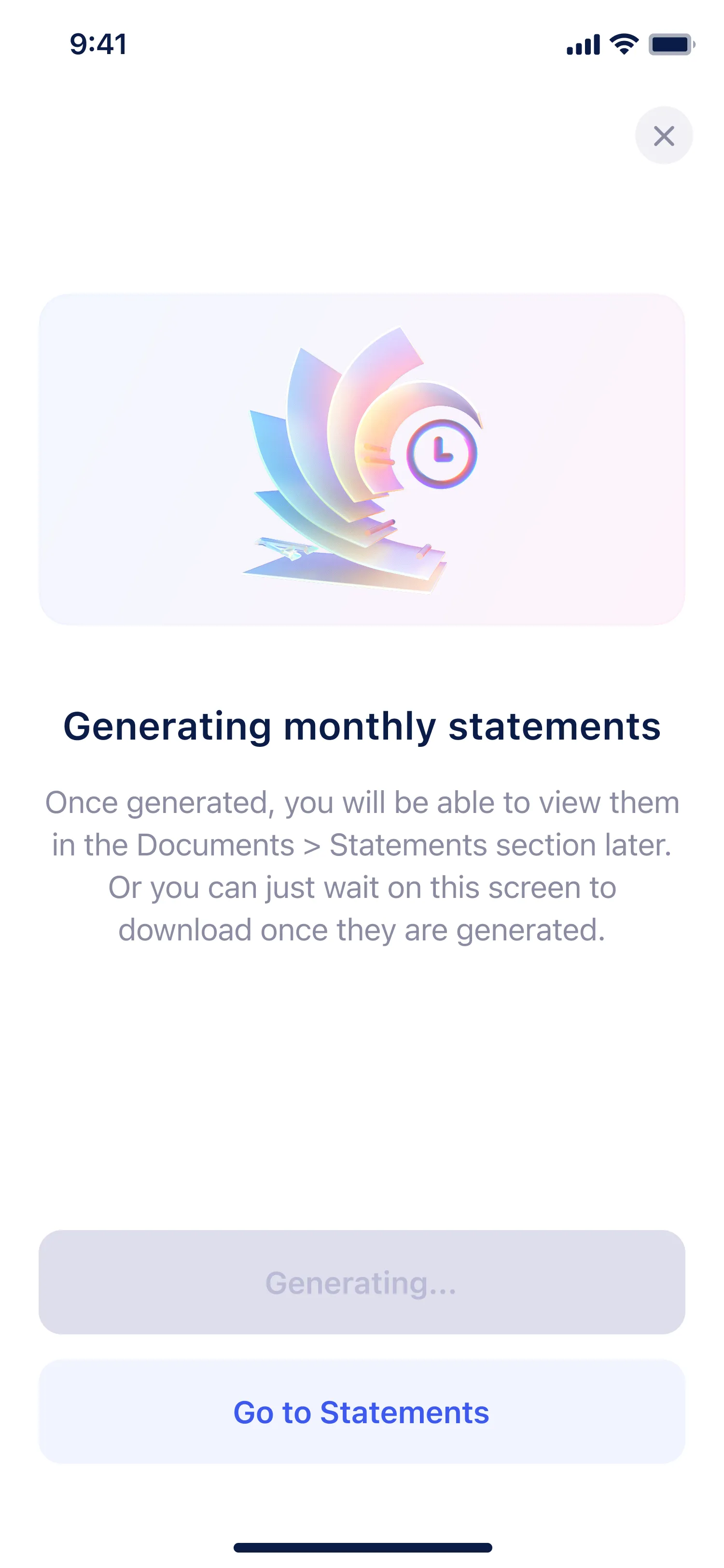
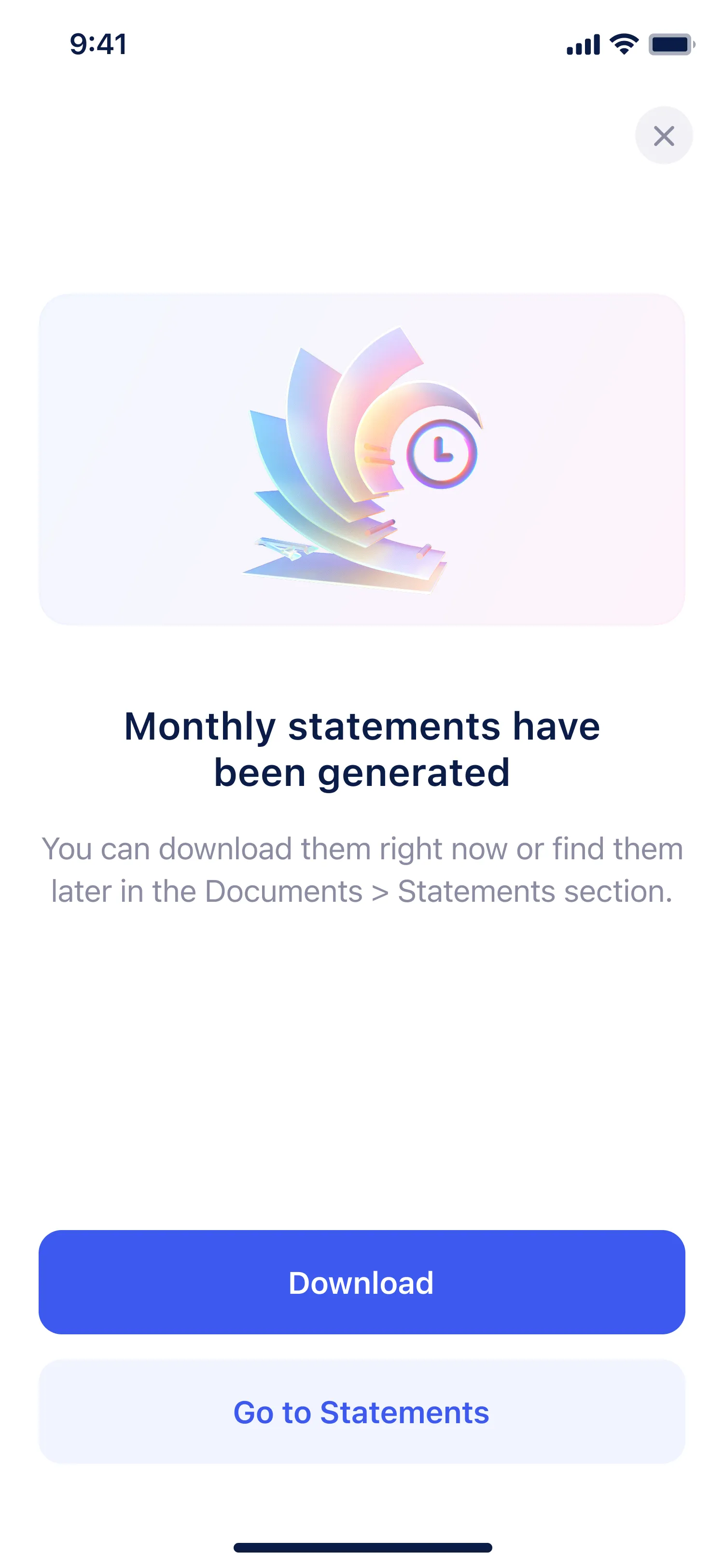
Introduced a dedicated flow for generating bank documents. Users could set parameters like statement period or letter type, and the system automatically created and saved the file in the right section. This reduced support requests and gave users full control over document generation and reuse.
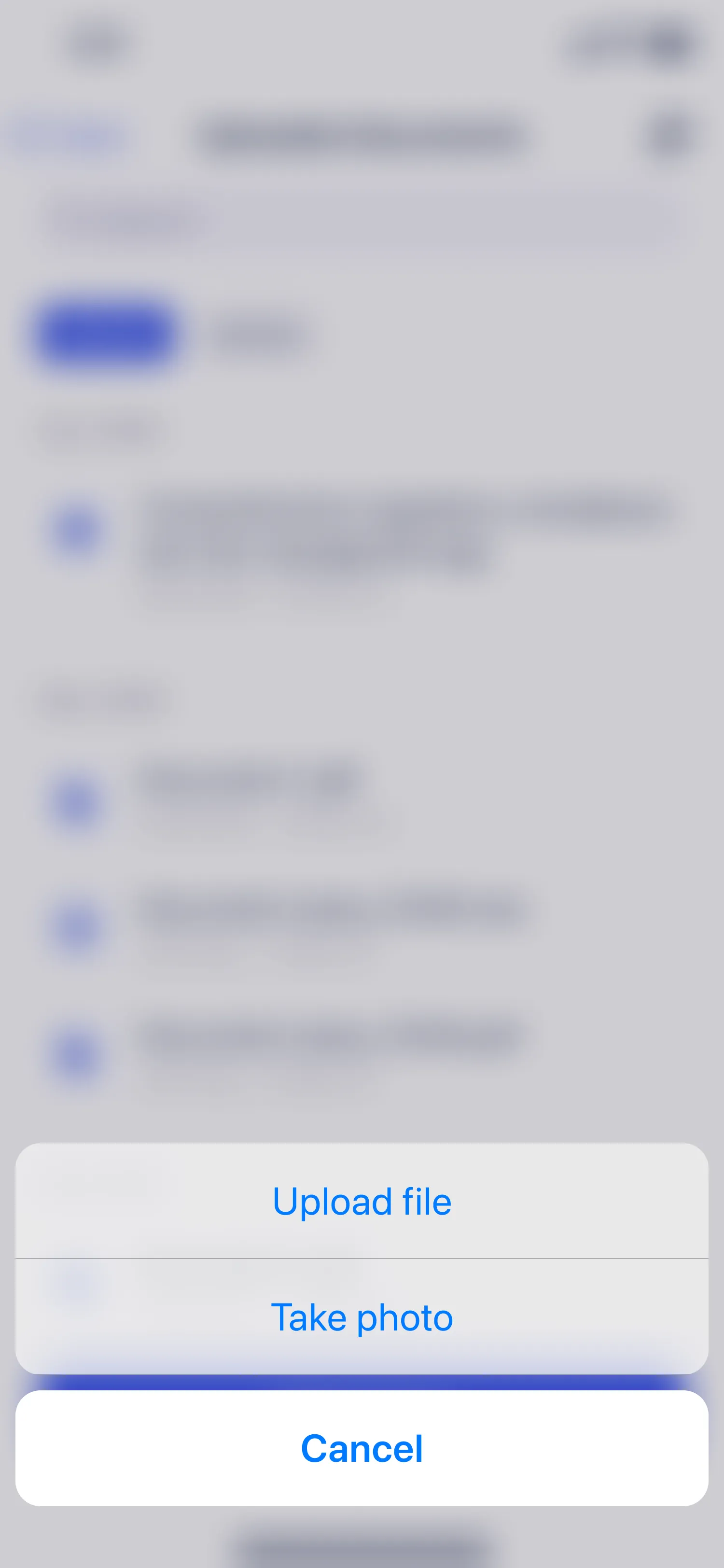
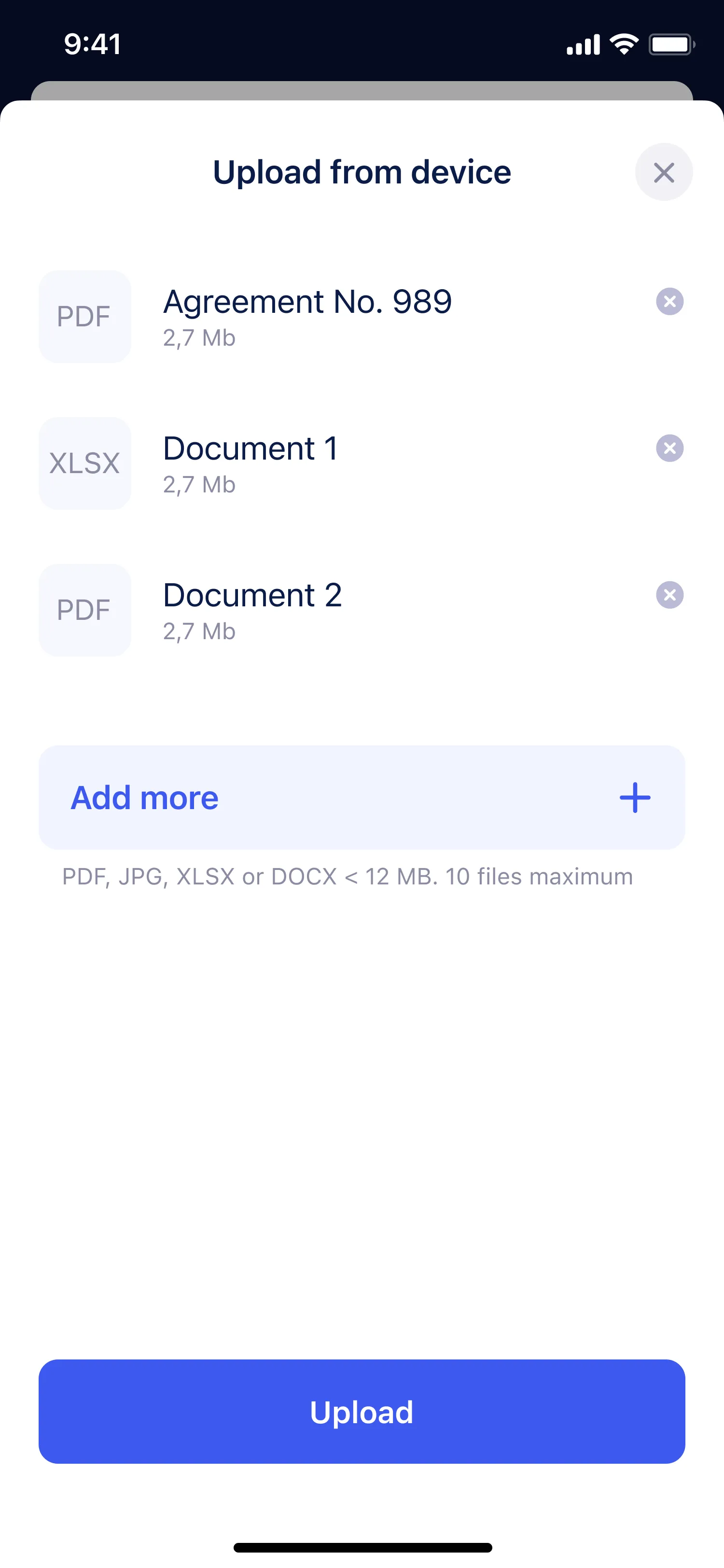
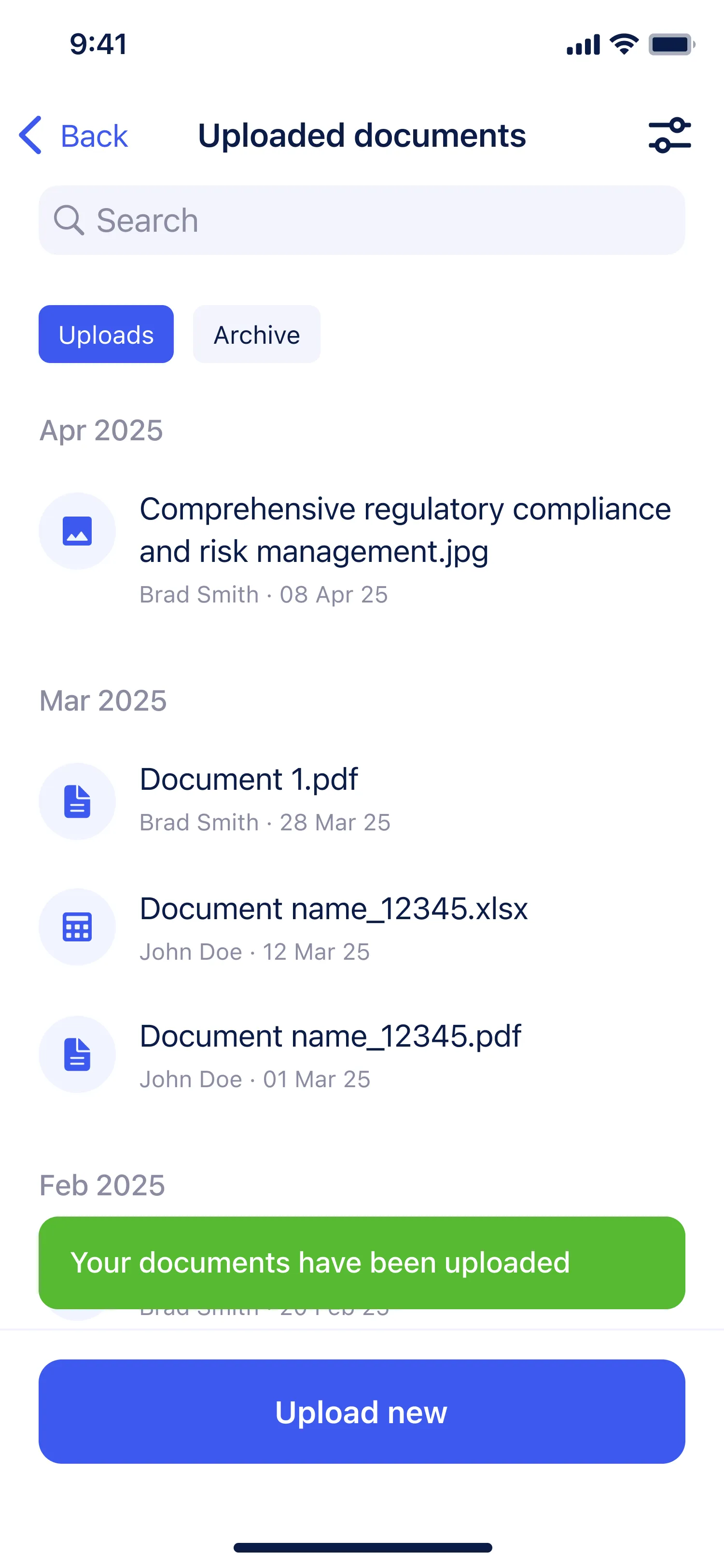
- 5 Upload new document
The ability to upload new documents was added.
- 6 Notes feature
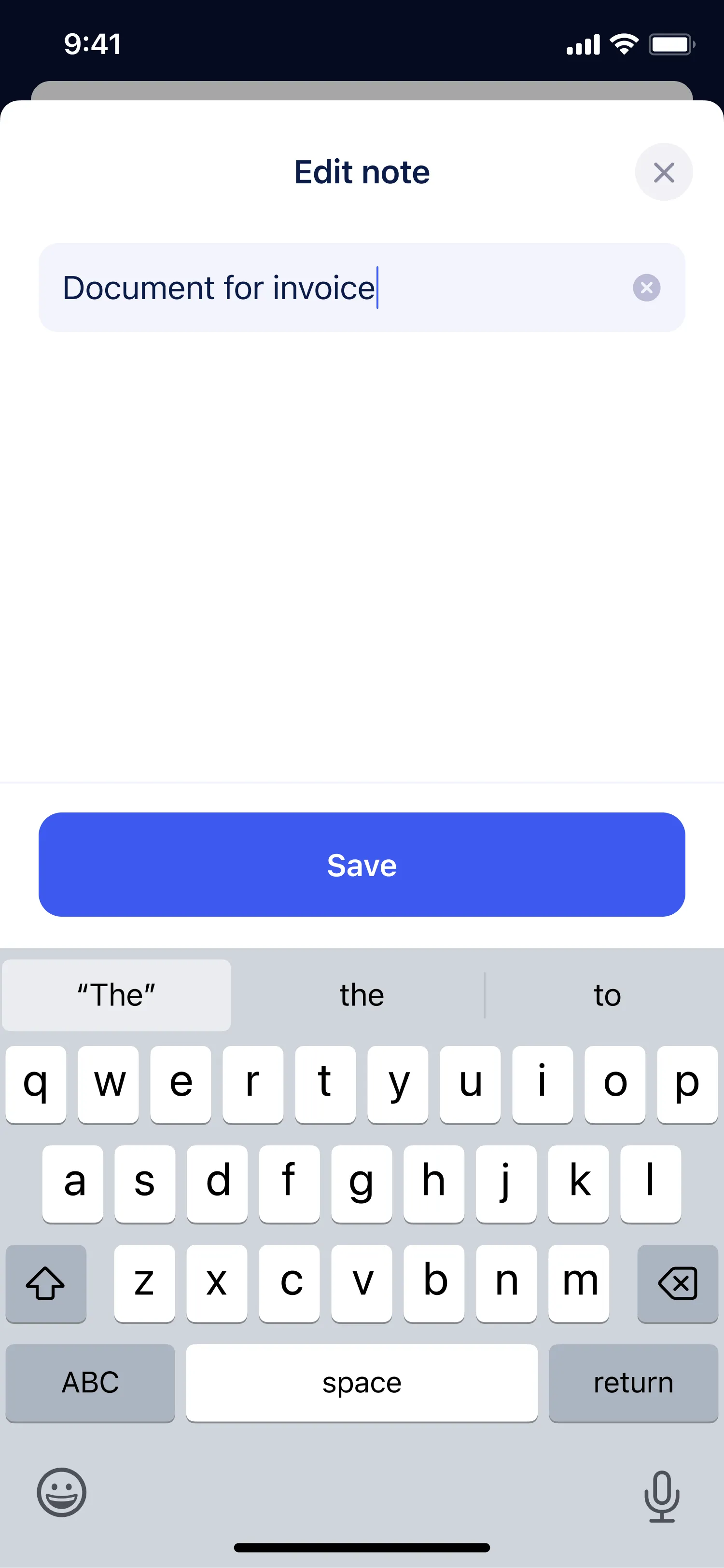
Notes were displayed directly within the document card and visible to all teammates, eliminating the need to share comments through external channels.
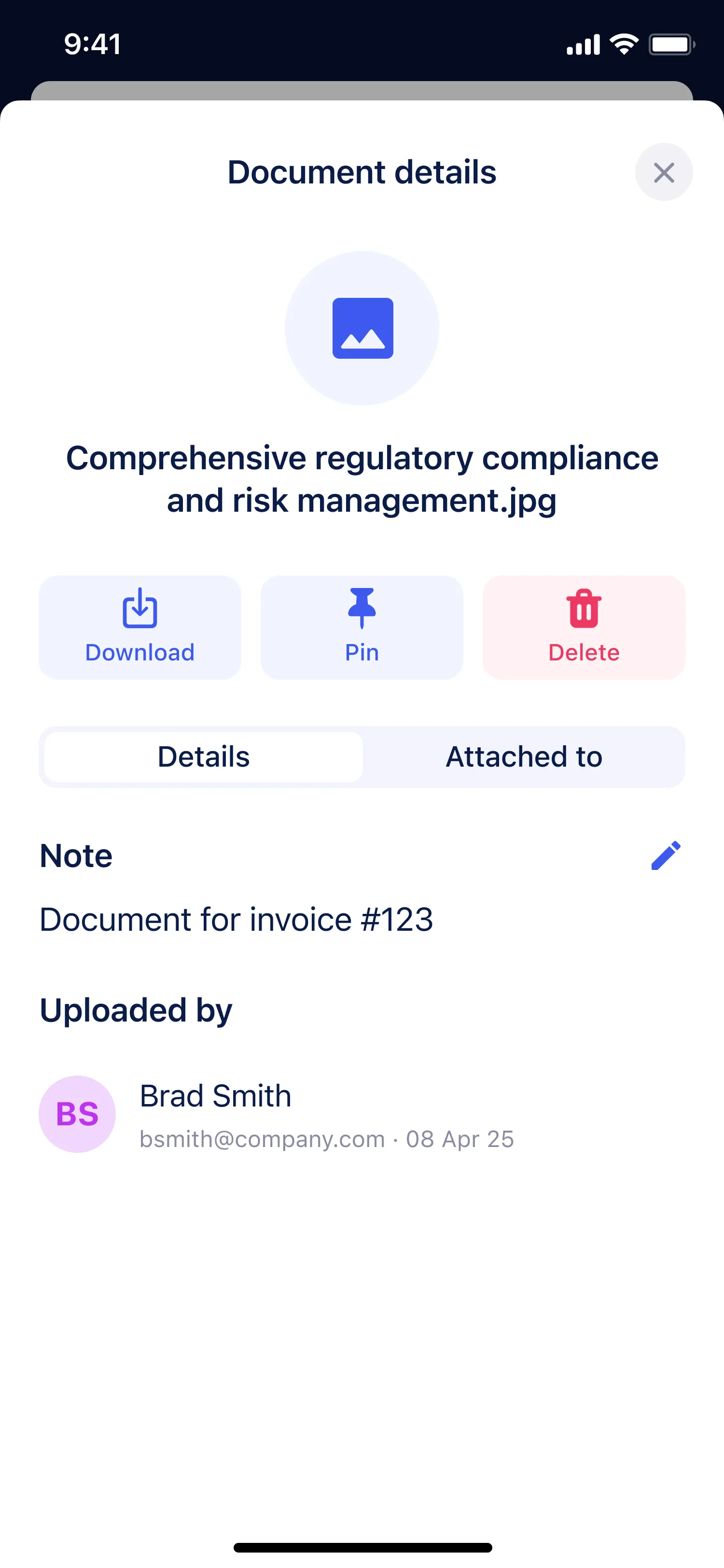
- 7 Details card
For each document type, a dedicated screen was created showing the main actions and information relevant to that document.
- 8 Consistency across platforms
All design solutions were adapted to iOS and Android guidelines, ensuring a native and consistent experience across both platforms.